
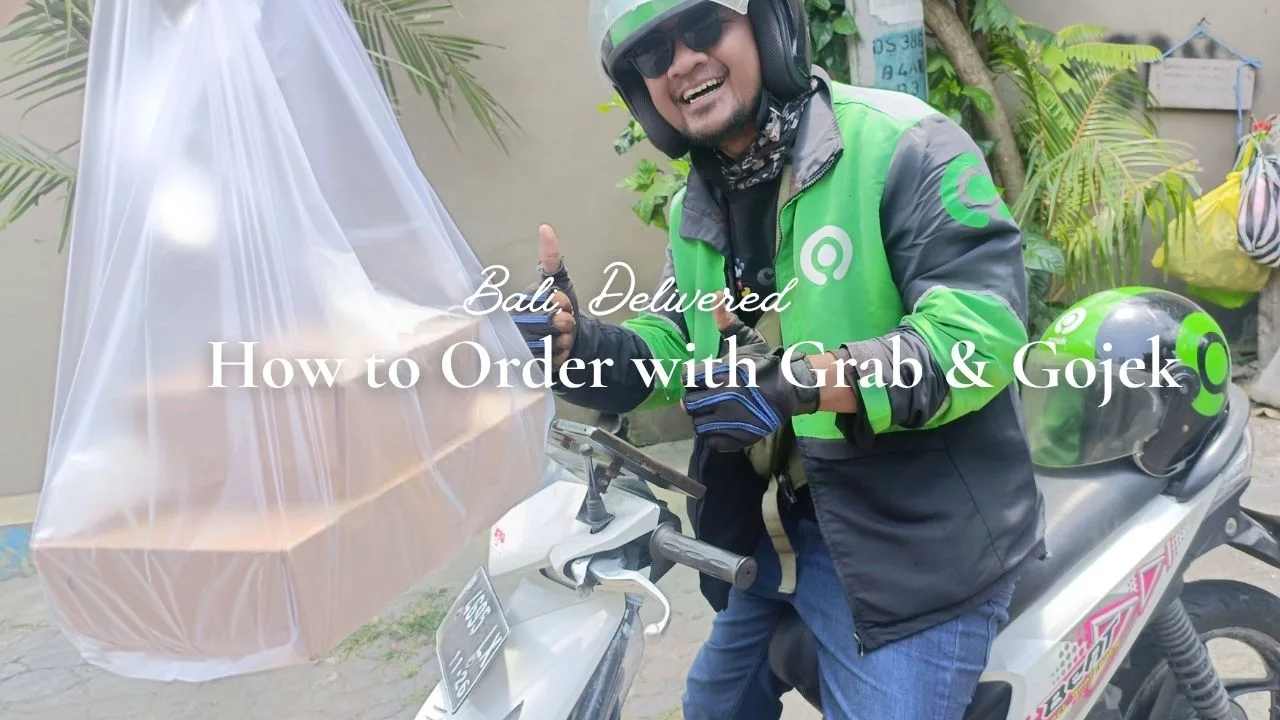
With Grab and Gojek, you can get food delivered from almost any restaurant in Bali, right from your phone.
Popular cafés, local warungs, artisan pizza — nearly anywhere you'd want to eat in Bali delivers.
Whether you're relaxing at your hotel or it's pouring rain outside, you can enjoy great food in your pajamas.
It's simple to use — read this, and you'll be ordering in minutes.
・Anyone who wants to try food delivery in Bali
・Those wondering how Grab or Gojek works
・Travelers who want easy meals during their stay
・First-time users feeling unsure about the apps
AnHaving an eSIMis a must-have for navigating Google Maps and hailing rides on Grab!
👉 Browse eSIM Options for Bali
How to Order
We'll walk through this using the Gojek app.
Step 1: Open the App & Select GoFood
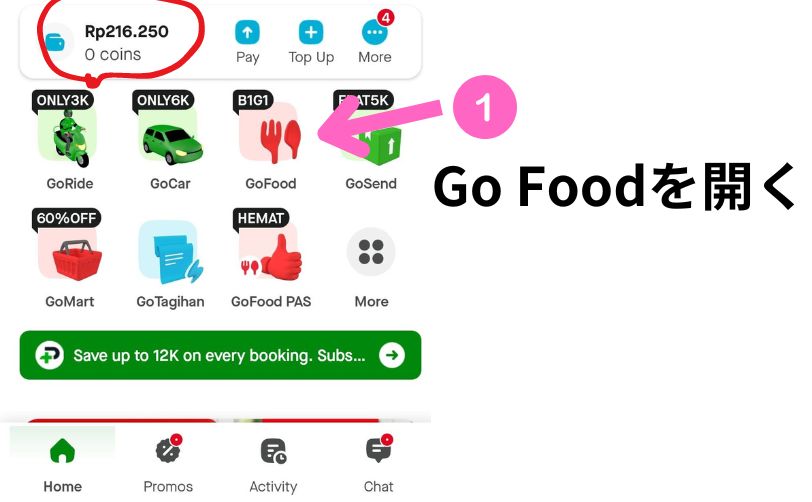
From the home screen, tap "Food" (or "GrabFood" if you're using Grab).
 YUKI
YUKIThe amount circled in red is my current Gojek balance.
- How do I top up my balance?
-
You can transfer via online banking with an Indonesian bank, or add cash at a convenience store.
- Is it easier to pay cash or register a card?
-
Registering a card is by far the more convenient option!
Step 2: Choose a Restaurant
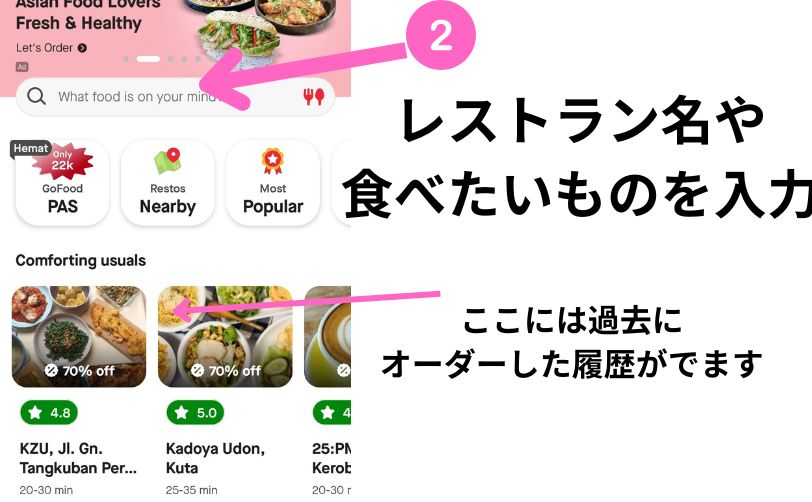
Type what you're craving — like "pizza" or "nasi goreng" — into the search bar, or search directly by restaurant name.
You can also browse the "Near Me" section for nearby options.
Step 3: Browse the Menu
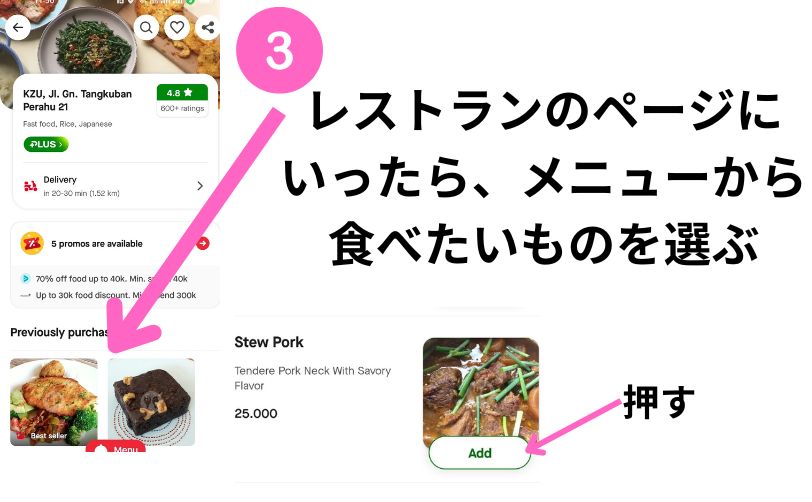
Once you're on the restaurant's page, scroll through the full menu and pick what you'd like to order.
▼Tap any menu photo to see more details about that dish.
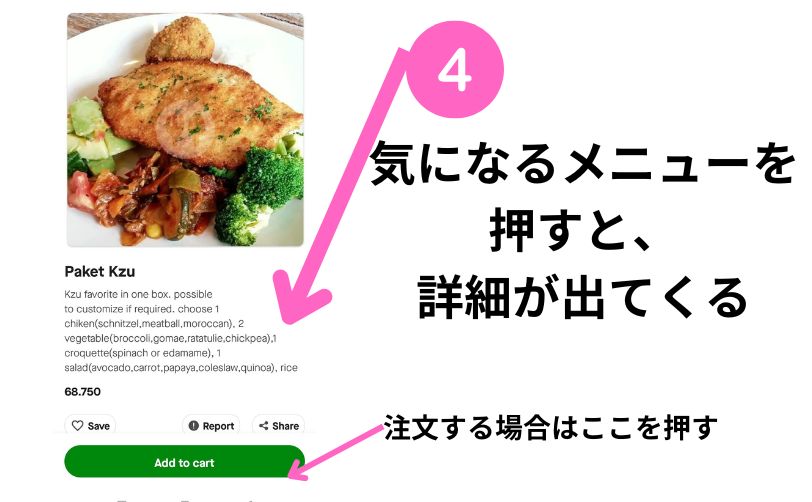
Step 4: Review Your Order
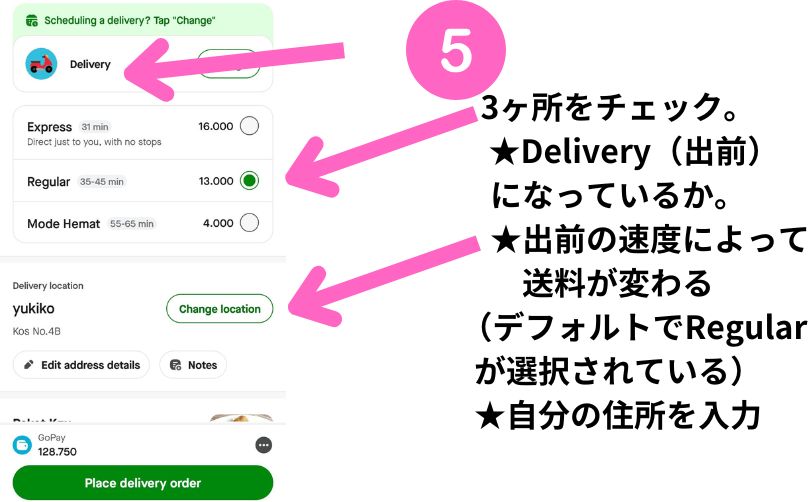
There are three things to check before confirming.
First, "Delivery" is selected by default — no need to change this.
If you'd rather pick it up yourself, tap "Change" and select "Self Pick Up."
Next is delivery speed — Express, Regular, or Mode Hemat (budget option). "Regular" is selected by default.
Finally, there's your delivery location.
YUKIIt helps to add details in the address notes — like your hotel name, or 'leave at front desk.'
Look Out for Promos and Confirm Your Total
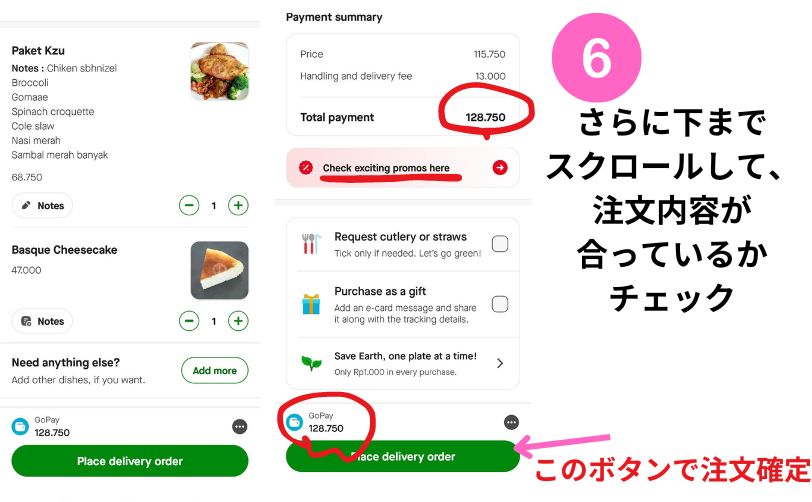
Scroll all the way down to make sure your order looks right. Occasionally there are glitches — like a wrong quantity or a missing item.
Check the promo section too, in case there's a discount available.
Finally, confirm the total and payment method at the bottom, then tap "Place Delivery Order."
YUKIIf your GoPay balance isn't enough, you can pay the difference in cash.
Step 5: Track Your Delivery
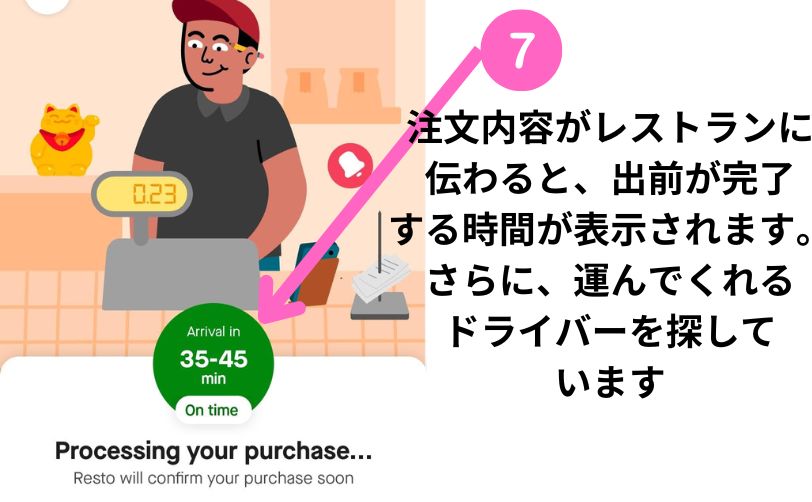
Once you place the order, it's sent straight to the restaurant, and they'll start preparing it.
At the same time, the app starts matching you with a delivery driver.
Step 6: A Driver Is Assigned
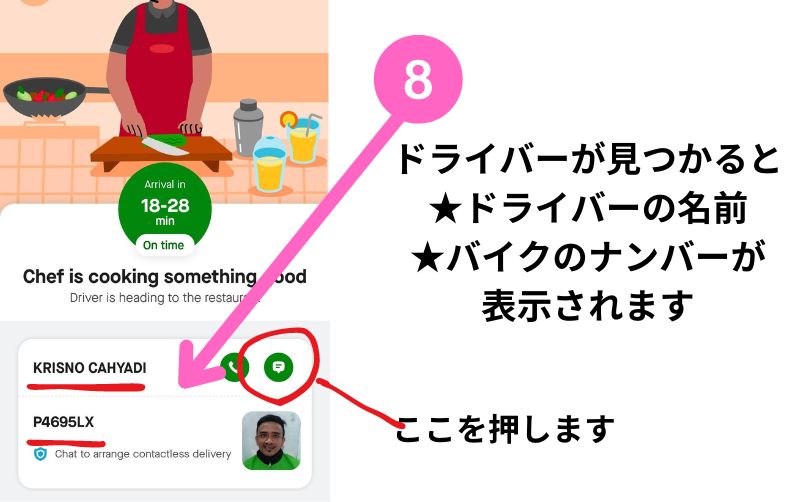
Once matched, you'll see the driver's photo, name, and license plate number.
Tap the message icon on the right to send them a quick note!
Always send your driver a message.
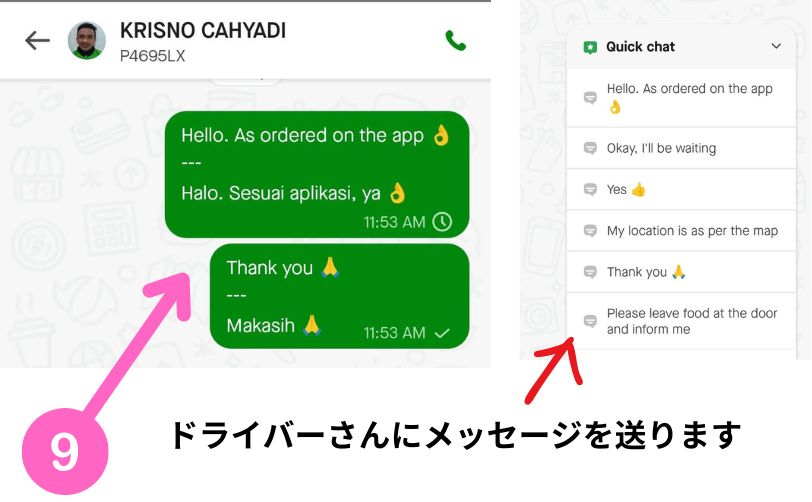
This applies to car and bike rides too — once matched, confirm with a quick message so the driver knows you're ready to go.
Not Sure What to Say?
No worries — there are pre-written Quick Chat options. Just tap the one confirming your order and location match what's in the app.

Once your food's ready and the driver's on the move, you'll see a live map.
Step 7: Receive Your Food
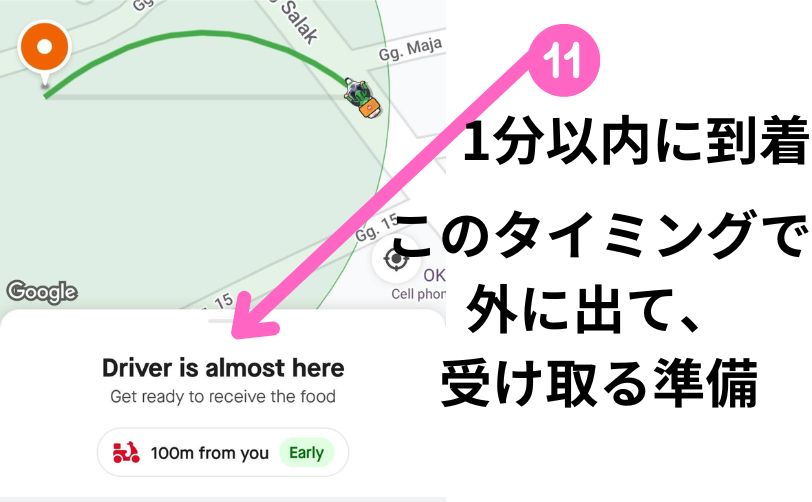
When the driver's about a minute away, the screen will update to let you know.
YUKIThat's usually my cue to head outside and wait for the driver.
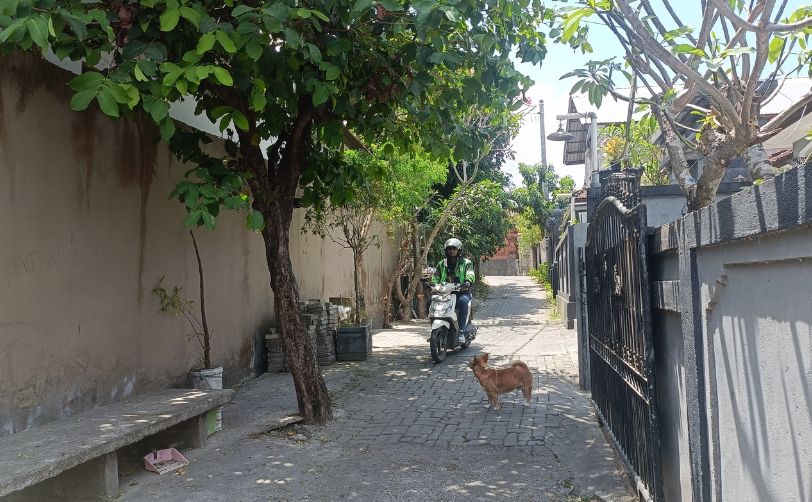
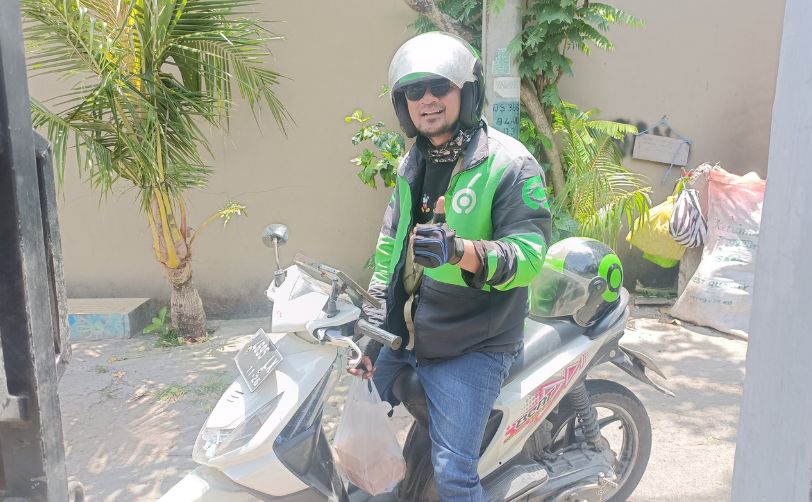
Head out to the street, and there's your driver, food in tow!
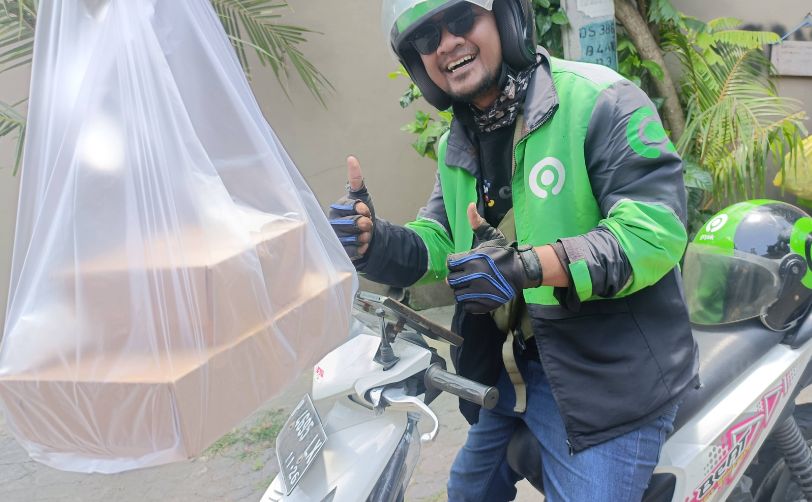
Grab your order and hand over a cash tip.
現金または、アプリのチップ機能を使いましょう
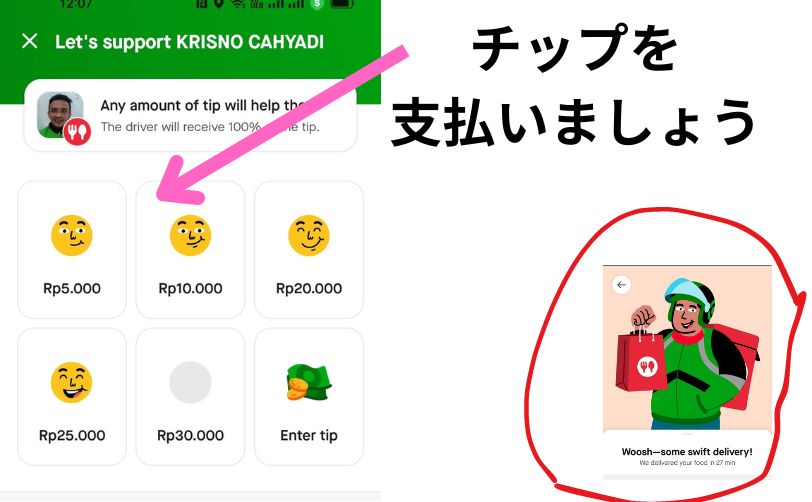
Once the delivery's marked complete, the screen changes, and scrolling down reveals a tipping option.
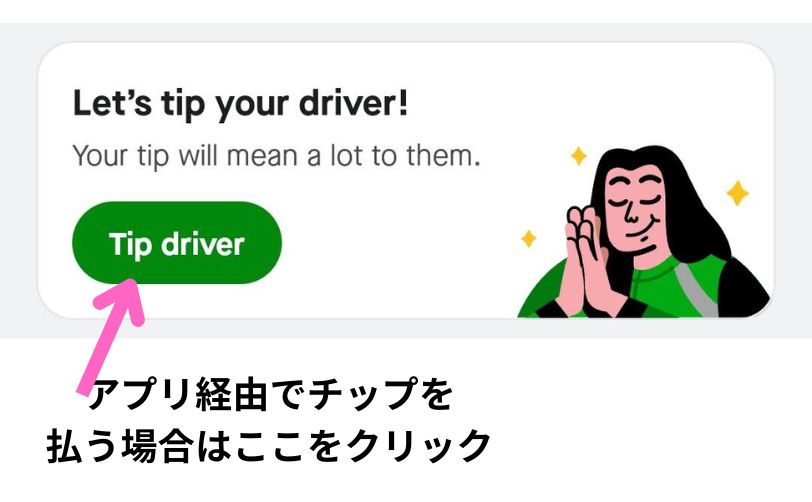
You can also tap this icon to jump straight to the tip screen.
YUKICash works fine for tipping too.
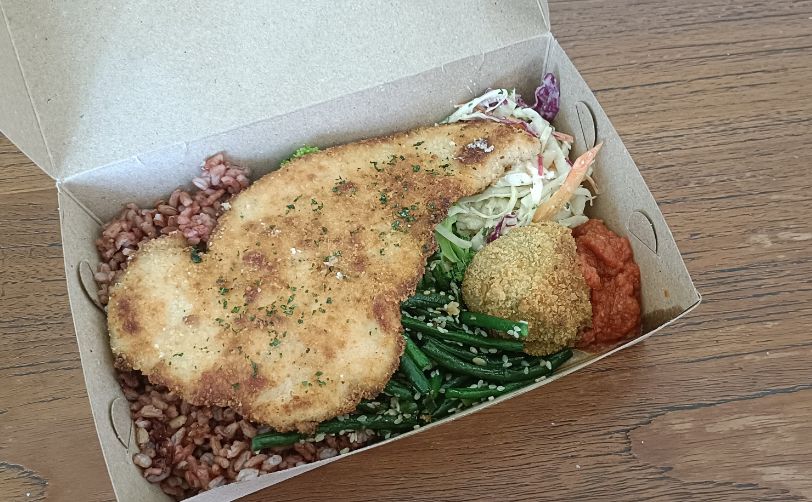
Now, enjoy your meal!
The Takeaway
What do you think?
Bali has so many hotels and villas made for relaxing — sometimes eating in is exactly the move.
It's also a great option when you're traveling solo.
Or gather everyone for a villa night in and order delivery through Grab or Gojek.
Give it a try on your next trip!
More Tips for a Smoother Stay
・No More Currency Confusion: A Simple Guide to Rupiah
・15 Handy Indonesian Phrases for Travelers
・Book Airport Transfers & Tours Easily with KLOOK
AnHaving an eSIMis a must-have for navigating Google Maps and hailing rides on Grab!
👉 Browse eSIM Options for Bali
YUKISee you in the next post!